Introduction
The AEC software ecosystem has experienced more substantive platform change in the past 18 months than in the preceding decade. What was once speculative - AI controlling CAD and BIM tools directly - is now shipping in production software. Claude's MCP integration with Revit and AutoCAD became publicly available in April 2026. SketchUp announced native MCP support in the same month. Autodesk has confirmed that Revit 2027 will ship with MCP architecture built into the core application.
These are not incremental feature updates. They represent a structural change in how documentation, coordination, and design development work gets done. For offshore AEC teams, that shift creates both a risk and a window of advantage - but only for teams that understand what these tools actually do, where they break down, and how to supervise them against Australian compliance requirements.
This paper is written for technical trainers, BIM managers, and offshore team leads who need to understand the mechanics of these changes, not the marketing copy around them.
What MCP Actually Is: The Technical Concept Explained
Model Context Protocol (MCP) is an orchestration protocol that allows AI language models to issue structured tool calls to external software applications. In plain terms: it is the communication layer that lets an AI model tell a desktop application what to do.
The concept was formalised by Anthropic in late 2024 as an open standard. The core idea is straightforward. An AI model, such as Claude, sits inside a host environment (a chat interface, a plugin window, or a development tool). That host environment has registered a set of tools - functions that map to real actions inside a connected application. When the AI model determines that a tool call is warranted, it issues a structured JSON request. The MCP server receives that request, translates it into the native API or automation commands of the target application, executes the action, and returns the result back to the AI.
In an AutoCAD context, a tool call might look like this in abstract: "place a linetype layer named A-ANNO-TEXT at the current cursor position, assign it pen weight 0.25, and return the layer ID." The MCP server translates this into AutoCAD's LISP or ObjectARX calls, executes them, and confirms success or failure. The user sees the result on screen.
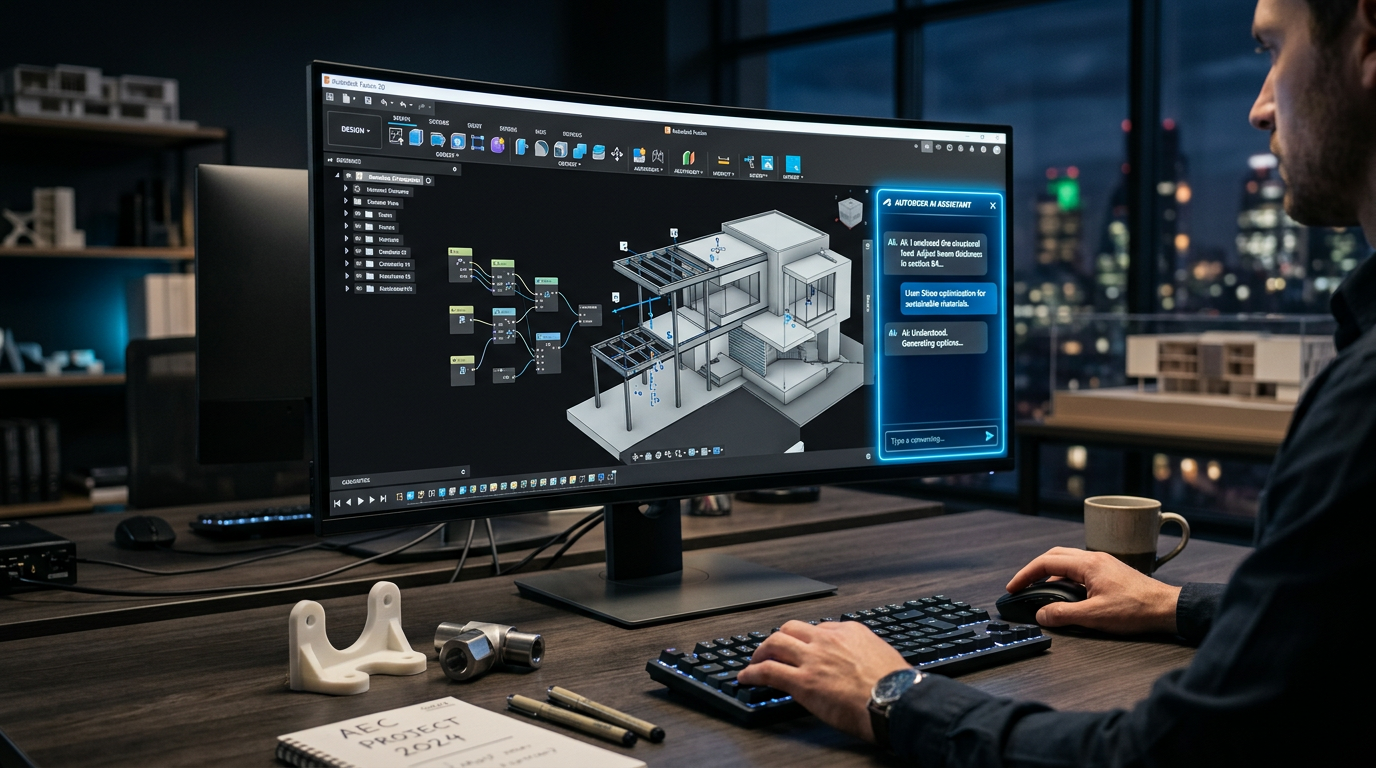
In Revit, the same principle applies but against Revit's API. An AI model can be instructed to place a specific family type, adjust a parameter, generate a view, or run a clash detection query - all through structured tool calls rather than through the user manually navigating the ribbon interface.
The critical distinction from previous AI features: MCP gives AI models write access to the model, not just read access for analysis. Earlier AI integrations in AEC software were predominantly query-based - they could interpret data in a model and return insights. MCP integrations can modify the model directly.
What This Is Not
MCP is not autonomous design generation. It does not replace the design intent stage. It does not understand building codes unless that information has been explicitly provided as context. It does not know whether a wall thickness is appropriate for a given NCC climate zone unless that rule has been encoded into the prompt structure or the tool definitions. The AI model's capability is bounded entirely by the quality of the instructions it receives and the accuracy of the context it has been given.
Claude MCP Integration with Revit and AutoCAD: What It Does in Practice
AutoCAD Integration (April 2026)
The Claude MCP integration for AutoCAD, released April 2026, operates through a plugin that registers a set of tool definitions with a local MCP server running alongside the AutoCAD instance. The current tool set covers layer management, block insertion, dimension placement, text annotation, attribute editing, and batch export operations.
In practice, the most immediately useful capability for documentation teams is batch layer compliance. A technician can describe the required layer structure - for example, based on an Australian standard such as AS 1100 or a firm's internal CAD standards - and ask the AI to audit the current file against that structure. The AI calls the layer-list tool, receives the current layer data, compares it against the described standard, and returns a gap report. It can then be instructed to create missing layers, rename non-compliant ones, and reassign objects - all through sequential tool calls executed inside AutoCAD.
For title block and annotation workflows, the integration allows a technician to describe a sheet setup in natural language and have the AI place title block attributes, annotation leaders, and revision clouds with the correct properties, rather than manually navigating attribute editors for each instance.
The current integration does not cover geometry creation at the precision level required for construction documentation. Placing a wall of exact length and specification through a conversational prompt works in simple cases but breaks down with complex geometry, curved elements, or interdependencies with existing objects. The practical boundary in April 2026 is: AI is reliable for attribute-level and layer-level work, unreliable for geometry-level construction.
Revit Integration (April 2026)
The Claude MCP integration for Revit is more architecturally significant because Revit's parametric model is richer in structured data. The tool definitions available at launch cover family placement, parameter editing, view creation, sheet assembly, room tagging, and export management.
The most immediately productive use cases for offshore BIM teams are:
- Sheet assembly from a described schedule. Given a list of drawing numbers, scales, and view names, the AI can create sheets, assign views to sheets, and apply title block parameters systematically. This is tedious manual work when done for 80+ sheets across a large project; the AI can execute it significantly faster with less risk of transcription error.
- Room schedule verification. The AI can query room name, number, area, and finish parameters against a provided schedule in a spreadsheet format and flag discrepancies. This previously required a BIM coordinator to manually cross-reference data.
- Parameter audits against project templates. If a firm has a defined set of shared parameters required in every project file, the AI can compare the current file's parameter definitions against that template and report missing or incorrectly typed parameters.
Where the integration becomes unreliable in Revit is structural and systems coordination. Placing structural elements, MEP components, or anything requiring constraint-based geometry with precise clearance relationships is outside the reliable envelope of current tool call accuracy. The Revit API is complex and the margin for error in parametric placement is small. An AI placing a structural column with a slightly incorrect base constraint will create issues that propagate through a model and may not be visible until a later stage of coordination.
SketchUp Native MCP Support: Implications for Small-to-Mid Australian Architecture Firms
SketchUp's announcement of native MCP support in April 2026 is significant for a different segment of the Australian market than Revit. SketchUp remains the dominant tool for small-to-mid architecture practices doing residential and small commercial work in Australia, particularly those working in states where full BIM adoption has been slower - much of regional Victoria, South Australia, and Western Australia.
The SketchUp MCP implementation operates through their existing Ruby API layer, which is well-established and has extensive documentation. The tool definitions available at launch focus on geometry creation, component placement, material assignment, scene management, and LayOut integration for documentation sheets.
For a practice doing 30-50 residential projects per year, the most valuable capability is component library management and scene-to-sheet workflows. SketchUp projects often accumulate hundreds of scenes across a job, and the task of organising scenes into LayOut document pages, applying consistent viewport settings, and updating them after design changes is a significant documentation overhead. MCP-assisted workflow can reduce this to a directed instruction task rather than a manual navigation task.
The compliance implication for Australian firms is specific. SketchUp is frequently used to produce DA (Development Application) documentation sets. Those sets have consistent structure requirements that vary by council and state, but share common elements: site plan, floor plans at required scales, elevations, shadow diagrams in some cases. An AI that can be instructed to compose a DA set from a described project - pulling the correct scenes, applying correct scale ratios, assembling into LayOut with the correct sheet format - removes hours of coordination work per project.
However, the risk of AI-assisted SketchUp work for DA documentation is that the AI has no inherent knowledge of what a DA set requires for a given council. If the prompt does not contain that specification, the output will be structurally plausible but compliance-incomplete. This is a training and workflow design problem, not a tool problem - but it is critical to understand before deploying AI-assisted documentation in a live project context.
Revit 2027: What Native MCP Architecture Actually Means
Autodesk's confirmation that Revit 2027 will ship with MCP architecture built into the core application changes the long-term trajectory of this technology in BIM workflows. Previous integrations, including the April 2026 Claude integration, require a third-party plugin and a locally running MCP server. They work, but they introduce installation overhead, version compatibility concerns, and a dependency on the continued maintenance of the integration by the plugin developer.
Native MCP architecture means Autodesk is building the tool definition layer and the server infrastructure directly into Revit's application stack. The implications are:
Standardised tool definitions. Rather than each AI provider defining their own tool schema for Revit operations, a native MCP layer gives Autodesk control over what operations are exposed, at what level of granularity, and with what validation logic. This should reduce the risk of tool calls that technically succeed but produce invalid Revit objects.
Deeper API access. Third-party plugins are constrained by what the Revit API exposes externally. A native MCP layer has the potential to expose capabilities that are not available to external integrations, including internal validation hooks that can check whether a proposed model change would break existing constraints before executing it.
Enterprise deployment without plugin management. For large practices managing 50+ Revit licenses, eliminating the plugin dependency simplifies IT governance significantly. AI-assisted workflows become part of the base Revit installation rather than an optional add-on with its own update cycle.
The practical effect will not be visible until Revit 2027 ships. What matters now is that practices and offshore teams are building their understanding of MCP workflows with the current tools, so that the transition to native architecture is an upgrade of capability rather than a first introduction to the concept under deadline pressure.
How AI-Assisted Workflows Change the Role of BIM and CAD Specialists
The BIM Coordinator
The BIM coordinator role has historically combined two distinct functions: model quality assurance (checking that what is in the model is correct) and coordination logistics (managing clash detection, RFI workflows, and inter-disciplinary communication). AI tools affect these functions differently.
Model quality assurance tasks that are rule-based and repetitive - parameter audits, naming convention checks, view organisation - are strong candidates for AI assistance. A BIM coordinator who previously spent four hours auditing a model against a BIM Execution Plan can now direct an AI to run that audit in a fraction of the time, then spend their hours reviewing the output rather than generating it.
Coordination logistics tasks that require judgment, negotiation, and relationship management are not meaningfully affected by current AI tools. Resolving a structural-mechanical clash requires understanding the construction sequence, the contractor's preference, and sometimes a phone call. An AI cannot do that.
The practical shift for BIM coordinators: the role becomes more about prompt construction, output verification, and exception handling, and less about repetitive data entry and rule application. This requires a different kind of attention - one that is critical and forensic rather than procedural.
The CAD Technician
The CAD technician role is most directly affected by MCP integrations with AutoCAD and SketchUp. Tasks that were previously the core activity of a CAD technician - layer setup, block insertion, annotation placement, sheet composition - are now executable through AI tool calls given the right instructions.
This does not eliminate the CAD technician role. It changes its scope. The technician who can construct accurate, project-specific prompts and verify AI output against drawing standards will produce more output in less time than one who works entirely manually. The technician who does not understand what the AI is doing and treats its output as automatically correct introduces errors at scale.
The displacement risk is real for technicians who are performing purely procedural tasks without the ability to verify outputs. The advantage is equally real for technicians who develop both the prompt construction skill and the verification judgment.
The Documentation Specialist
In practices that separate documentation from modelling - common in larger firms where offshore teams handle documentation while onshore project architects handle design development - the documentation specialist role sits at the most direct intersection with AI tool capability.
The tasks most immediately affected: drawing set assembly, revision cloud management, sheet index maintenance, and schedule formatting. These are high-volume, low-ambiguity tasks where AI tool calls can reduce cycle time substantially. The documentation specialist who learns to direct AI across these tasks effectively becomes significantly higher-throughput.
The residual skill requirement is unchanged: understanding what correct documentation looks like, knowing the drawing standards applicable to the project, and catching errors. AI does not know that a window schedule is missing a required column for NCC energy compliance. A trained documentation specialist does.
The New Skills Required: Prompt Construction, Verification, and Error Detection
Prompt Construction for AEC Contexts
Effective prompt construction in AEC AI workflows is not generic - it requires domain-specific knowledge to produce useful results. A prompt that asks an AI to "set up layers for an architectural drawing" will produce a generic result that may not conform to the specific standard the project requires. A prompt that specifies "create layers conforming to AS 1100.101 for an architectural drawing set, with the following additions from our office standard..." produces a structured, actionable result.
The skill is in knowing what context the AI needs, how to express it precisely, and how to structure multi-step instructions so that each tool call produces a verifiable intermediate result. This is learnable and teachable - it does not require programming knowledge. But it does require a solid understanding of the drawing standards and BIM requirements the output must conform to.
AI Output Verification
AI output verification in AEC contexts is the practice of checking the results of AI tool calls against a defined correctness criterion before accepting them into the project. This is not optional. AI models in their current state will produce incorrect outputs in a predictable class of situations - and the errors are often not visually obvious.
A verification workflow for an AI-generated layer audit might involve: spot-checking five to ten layers from the AI's output against the actual AutoCAD file to confirm the tool call data was accurate; checking that reassigned objects are on the correct layer in the model, not just in the layer list; and confirming that no layers were created with duplicate names that AutoCAD's internal indexing resolves differently from the AI's expectation.
This kind of verification requires knowing what to look for. It is a learnable skill but it must be taught explicitly. Assuming that AI output is correct because the AI did not report an error is the most common failure mode in early adoption of these tools.
Error Detection in AI-Generated Content
Certain error types are characteristically associated with AI-generated AEC content. Training teams to recognise these patterns reduces the time required for verification and prevents errors from propagating through project documentation.
The most common error patterns observed in current AI-assisted AEC workflows include: dimensional values that are internally consistent but incorrect relative to the design intent (the AI reproduced a number from an early version of the project data); annotation text that is formatted correctly but references the wrong clause number from a standard; family parameters that are set to plausible values but do not match the specification schedule; and layer assignments that follow the naming convention but place objects on the wrong sublayer within the convention.
These errors share a common characteristic: they look correct at a casual glance. The AI has learned what correct output looks like and produces outputs in that form. The errors are in the content, not the form. Catching them requires the reviewer to know the project, know the standard, and be looking specifically for content-level discrepancies.
Why Trained Offshore Staff Have a Structural Advantage
The combination of AI tool proficiency and Australian compliance knowledge is, at this point in time, genuinely scarce. Most offshore AEC teams have one or the other. Very few have both.
Offshore teams that understand Australian drawing standards, NCC references, and the documentation requirements of major clients in Australian states are positioned to verify AI output against those requirements with authority. When that capability is combined with the operational efficiency of AI-assisted workflows, the result is a team that can produce higher-volume, higher-accuracy documentation than teams relying on either human manual work alone or AI output without trained verification.
The specific advantage is in what verification requires: project-specific knowledge, standard-specific knowledge, and client-specific knowledge. An AI tool does not have these by default. A trained offshore team does, because they have worked with Australian clients long enough to internalise the requirements. That knowledge, applied as a verification layer over AI tool outputs, is where the real capability uplift comes from.
The practices that recognise this earliest - and build their offshore team training to match - will hold a cost and quality advantage through the 2026-2028 period of AI tool maturation in the AEC sector.
Common Failure Modes: AI Hallucinations in AEC Documentation
The term "hallucination" in AI refers to the generation of confident, plausible-sounding output that is factually incorrect. In an AEC context, this manifests in specific and technically consequential ways.
Incorrect NCC References
AI models trained on AEC documentation will frequently produce NCC clause references that are structurally correct (they look like valid NCC references) but are either outdated, from the wrong volume, or subtly wrong in their clause number. NCC 2022 reorganised a number of clauses from NCC 2019. An AI trained on a mix of pre-2022 and post-2022 documentation may produce references from either version without distinguishing between them.
The risk in documentation is that a compliance note or specification clause citing an incorrect NCC reference will pass visual review by anyone not cross-checking against the current NCC. It will not pass a certifier's review.
Dimensional Errors in AI-Assisted Drawing Coordination
When AI models assist with dimension placement or dimension verification, errors typically occur at junctions where multiple dimensions meet, where dimensions reference elements that have been moved since the reference data was extracted, or where the AI has averaged or interpolated a value between two contradictory data points in the model. These errors are often small - a 10mm discrepancy in a dimension string - and can be missed in standard visual QA passes.
Specification and Schedule Inconsistencies
AI-assisted schedule generation can produce schedules where individual entries are internally consistent but conflict with other schedules or drawings in the set. A door schedule generated from AI-extracted model data may show correct door dimensions but reference a hardware set that was deprecated in a specification revision the model metadata does not reflect. The schedule looks complete; the inconsistency is invisible without cross-referencing the specification.
The Training Gap in Offshore AEC Teams
The majority of offshore AEC staff currently working with Australian clients have not been trained to supervise AI tools. This is not a criticism of those teams - the tools are new, the training materials are sparse, and most firms have not yet formalised what AI-supervised workflows should look like. But the gap is real and it matters for quality outcomes.
The training gap has three components:
Tool literacy: Understanding what MCP integrations can and cannot do, what a tool call actually executes in the software, and where the boundaries of reliable AI operation are. Most offshore staff have been exposed to AI features as end users without understanding the mechanism. That user-level familiarity is not sufficient for verification work.
Standard knowledge: Understanding the specific drawing standards, NCC requirements, and client documentation requirements that Australian projects must conform to. Offshore teams who have worked primarily on US or UK projects may need targeted retraining on Australian standards even if their technical skills are strong.
Verification practice: Building the habit and method of treating AI output as a draft requiring systematic review, not a completed deliverable. This is a cultural and process shift as much as a technical one. Teams that have developed high trust in their own manual output may find this adjustment non-obvious.
Practices that invest in structured training across these three areas before full AI workflow adoption will have significantly fewer quality incidents than those that adopt the tools and assume team adaptation will follow.
Implications for Quality Assurance in Distributed Teams
AI-assisted workflows change the QA calculus for distributed teams in a specific way: the volume of output increases while the verification burden per unit of output remains roughly constant. The net effect is that QA capacity - the time available for human review - becomes the binding constraint rather than production capacity.
Traditional QA workflows in offshore AEC teams are designed around production rates. A checker reviews a drawing set after the technician completes it. If the technician produces three drawing sets per week, the checker reviews three sets per week. If AI-assisted workflows allow the technician to produce six drawing sets per week, the checker must review six sets per week - or the error rate rises because some sets go unreviewed.
Adapting QA workflows to AI-augmented production requires two changes: increasing QA capacity in proportion to production capacity, and redesigning QA procedures to focus effort on the error patterns specific to AI-generated content rather than the error patterns specific to manual drafting. These are different patterns. Checkers trained on manual drafting errors will not automatically detect AI-specific error modes without deliberate retooling of their review practice.
For project managers in distributed teams, the practical implication is: do not model AI-assisted productivity gains without also modelling the QA capacity investment required to maintain quality standards at the higher output volume.
Timeline of AI Tool Releases in the AEC Sector: 2024-2027
| Period | Development | Practical Significance |
|---|---|---|
| Early 2024 | Autodesk launches Forma AI features (formerly Spacemaker); primarily generative massing and early-stage analysis tools. | AI limited to early design stage, read-only analysis, no direct model write access. |
| Mid 2024 | Anthropic publishes MCP as an open standard; developer ecosystem begins building MCP servers for desktop applications. | Technical foundation for direct AI-to-application control established. AEC integrations begin early development. |
| Late 2024 | Multiple CAD and BIM plugin developers release early MCP integrations; primarily read-access tools (model queries, clash report summaries). Revit and AutoCAD community extensions appear on GitHub. | First generation of MCP-enabled AEC tools in use by early adopters. Capabilities limited; reliability variable. Not recommended for production documentation workflows. |
| Early 2025 | Graphisoft releases AI-assisted documentation features in ArchiCAD 28 (schedule generation, view set management). Trimble expands SketchUp AI features focused on component search and material application. | AI begins appearing in production documentation workflows at smaller firms. Features are assistive rather than autonomous; low error risk. |
| Mid 2025 | Autodesk Revit 2026 ships with expanded AI features: AI-assisted room naming, schedule sorting, and basic view filter automation. Not MCP-based; proprietary AI integration layer. | Autodesk's first significant AI features in Revit production environment. Useful but constrained by proprietary architecture; cannot be extended by third parties. |
| Late 2025 | Anthropic and major AEC software vendors begin coordinated development of production-grade MCP integrations. Claude 3.7 and later models show improved reliability on structured tool call sequences. | MCP integrations mature toward production reliability. Early adopter firms begin structured pilot programs for AI-assisted documentation workflows. |
| April 2026 | Claude MCP integration for Revit and AutoCAD released (production). SketchUp announces native MCP support. These are the first general-purpose, production-ready MCP integrations for mainstream AEC desktop software. | Inflection point. AI write-access to production BIM and CAD models becomes available to any firm without specialist IT infrastructure. Workflow redesign required to manage error risk. |
| Mid 2026 | Industry training and certification providers begin releasing MCP workflow courses. Australian building information modelling standards committees begin updating guidance documents to address AI-generated content verification requirements. | Training ecosystem catches up with tool availability. Compliance guidance emerging but not yet settled. |
| Late 2026 (projected) | Autodesk previews Revit 2027 native MCP architecture at AU 2026. Additional AEC vendors (Vectorworks, Bentley) confirm MCP roadmap commitments. | Native MCP becomes the expected integration standard for AEC software. Third-party plugin model for AI integration begins declining. |
| Early 2027 (projected) | Revit 2027 ships with native MCP architecture. Full tool definition library available at launch; Autodesk-validated tool calls with internal constraint checking. | AI-assisted workflows become mainstream in large practice BIM environments. Practices without trained teams for AI supervision face quality and timeline pressure. |
Preparing Offshore Teams: A Practical Framework
Based on the current state of these tools and the timeline above, the following represents a structured approach for offshore team managers preparing for AI-integrated workflows.
Immediate Priority: Tool Literacy Training (Now - Mid 2026)
Introduce team members to MCP concepts through hands-on sessions with the April 2026 integrations. The goal is not immediate production deployment but the development of accurate mental models about what these tools do, where they are reliable, and what their specific failure modes are. Teams that understand the mechanism are significantly better at catching errors than teams that treat AI output as a black box.
Short-Term Priority: Standard Knowledge Audit (Mid 2026)
Audit the team's working knowledge of Australian drawing standards and NCC requirements against the specific error modes associated with AI output. Identify gaps. Not every team member needs to be an NCC expert, but every team member who will be verifying AI-generated content needs enough standard knowledge to recognise a plausible-but-wrong reference when they see it.
Medium-Term Priority: Workflow Redesign (Late 2026)
Redesign documentation workflows to integrate AI tool calls at the appropriate points - high-volume, rule-based tasks - with explicit verification steps after each AI-generated output. Document these workflows at the process level, not just the tool level, so that new team members can follow them without relying on tacit knowledge from early adopters.
Ongoing: QA Capacity Alignment
Monitor the ratio of AI-assisted output to QA review time. If production volume increases without a corresponding increase in QA capacity, the result will be unchecked AI errors in client deliverables. This is a management problem as much as a technical one, and it requires explicit attention as AI adoption scales.
Conclusion
The April 2026 MCP integrations with Revit, AutoCAD, and SketchUp mark the beginning of a period in which AI tools have genuine write access to production AEC documentation. Revit 2027's native MCP architecture will extend and stabilise this capability across the enterprise software segment of the market.
The opportunity is real: AI-assisted workflows can reduce the cycle time for documentation-heavy tasks substantially when they are applied in the right places and supervised appropriately. The risk is equally real: AI error modes in AEC content are specific, often non-obvious, and capable of propagating through a drawing set before they are caught.
For offshore teams serving Australian practices, the advantage is available to those who invest in the combination of tool literacy, compliance knowledge, and verification practice. That combination is not yet common. Practices that build it deliberately, before the broader market has standardised training and workflows, will hold an advantage through the critical 2026-2028 period when these tools move from early adoption to mainstream use.
The technology is not the bottleneck. The training is.